What is Sesam?
sesam is a tool for managing secrets in git.
Three words, each of them doing some work:
secrets: Are just regular files that contain something precious to you. They are on your filesystem revealed (decrypted) and sealed (encrypted).managing: Making sure sealed and revealed are in sync and allow the user to define who has access to what secret.in git: Developers are naturally used togitandsesamintegrates well with it.
Intro
Software projects often need to store and load several secrets such as database passwords, certificates, API keys or other credentials. Those secrets should be stored encrypted and only be accessible to the users that actually need them.
sesam allows leveled access with multiple users to those encrypted secrets
and gives you a simple interface to manage both users and secrets.
In short, sesam fits well the GitOps model of infrastructure.
The term user does not necessarily refer to a person. A user can also be a machine, like a server where sesam is installed.
What is a secret manager?
You might think of a password manager now, which is not too far off - sesam
can indeed also be used as a password manager. A password manager is usually
targeted at managing individual secrets, while a secret manager is focused on
sharing selected secrets with other users in a team and machines. If you
already know what a secret manager is then you might be interested in Why we
built another tool.
Features
Security
- Every write is recorded, signed and verified by an audit log.
- Support for SSH keys, age keys and age plugin identities.
- Different access levels through user groups.
- Encrypted at rest; only secret paths and group membership are visible in the repo.
- Safe to use (hard to accidentally push unencrypted secrets)
- Per-secret integrity checks with root-hash verification.
Convenience
- Forge recipient shortcuts for GitHub, GitLab and Codeberg.
- Both declarative (config) and imperative (CLI) workflows possible.
- Familiarity to
gitusers. - Decentralized & offline ready.
- Scriptable via CLI interface.
- Somewhat fast encryption and decryption.¹
- Almost zero dependencies.
Git Integration
- Secrets are naturally versioned.
- Allows viewing local diffs of secrets and the audit log.
- Hooks keep revealed files in sync on checkout, pull and merge.
- Merging of secrets is supported.
Planned features
- Support for rotation and swapping of secrets (Plan)
- More tooling so that
sesamcan be well used as password manager. - Deeper support for
envfiles.
Who is it for?
- Open source developers wanting to store secrets in their repos and give only their co-developers access.
- Small to mid-sized teams wanting to have different access levels in their secrets.
- Individuals wanting to store secrets in their git repos, even if it's just a single user.
- Machine users that need a scriptable tool.
Learning
How to use this manual:
- Go to Installation to grab your copy of
sesam. - Go to Basic Usage to walk through what it can do.
- Go to Advanced Usage if you need some more depth.
- Go to Reference if you need to look up things later on.
The name
It is a reference to Ali Baba and the Forty Thieves out of the story collection One Thousand and One Nights. In this story the cave opens upon calling the passphrase "Open, Sesam!" revealing a hidden cave full of gold and treasures.
You see this scene depicted on the landing page.
The logo is a sesame pod, with the seeds replaced by cute little keys.
Installation
While this is in development you won't find sesam in your package managers yet. Once that will be available we will mention it here. For now use the release binaries from GitHub, Docker image, go install or build form source.
Releases
Please check the Releases tab for download options and release notes. We currently publish archives for Linux and macOS on amd64 and arm64.
You should then copy the sesam binary manually to a directory listed in your PATH (e.g. /usr/local/bin or ~/bin/).
This is required so that git can find sesam - it will call sesam as subprocess.
Signatures
We sign our releases with an ed25519 key,
the private key is uploaded in encrypted form as .sesam directory inside our
this very repository. Here's how you verify the validity of the signature when
downloading:
Grab the allowed_signers.txt
This file contains the public keys of the people that are allowed to sign git tags and artifacts:
curl -LO https://raw.githubusercontent.com/open-sesam/sesam/main/allowed_signers.txt
For this step, only the releaser key is important.
Verify the signature
- Download the
checksums.txtof that specific release. - Download the
checksums.txt.sigof that specific release. - Download the right
.tar.gzfor your platform.
# Note: The signature is build over the list of checksums.
ssh-keygen -Y verify -f allowed_signers.txt -I release@sesam -n sesam-release -s checksums.txt.sig < checksums.txt
Check that the checksums are actually correct
Now that we know the checksums are authentic, we just need to make sure the archives match them.
sha256sum --ignore-missing -c checksums.txt
If that prints OK you're fine!
Automate verification
If you understood the previous steps you can also run this command in one go:
# This is convenience for the three steps above - you should of course verify that script first.
curl -LO https://raw.githubusercontent.com/open-sesam/sesam/main/scripts/verify-release.sh
bash verify-release.sh sesam_0.1.2_linux_amd64.tar.gz
Compiling From Source
We use mise to manage our development tools. All you have to do to have exactly the same tools in exactly the right version is to follow the guide. The TL;DR is:
git clone https://github.com/open-sesam/sesam.git
cd sesam
mise trust
mise install
task # builds the default release-style Linux amd64 binary in the top-level dir.
cp sesam /usr/local/bin/  # or wherever you want to install it.
This is also the best way to start working on sesam if you want to open a PR.
Alternatively, if you already have go installed:
# Replace @latest with a git tag of your choice.
# This will not contain the build version really though!
go install opensesam.org/sesam@latest
Docker
Every release is also available as a Docker image:
# Please swap `latest` with a release of your choice.
# Mount your repo & identity anywhere you want, you should specify them with command line options:
docker run -it -v ~/.ssh/id_rsa:/key -v .:/repo ghcr.io/open-sesam/sesam:latest -r /repo -i /key status
This can be useful for CI/CD pipelines or when you can't install sesam otherwise.
Git integration will not be working with docker. Also storing passphrases will not work.
You will also have to mount the sesam repo and your identity into the container with the -v option.
For real, interactive usage we very much recommend the regular version of sesam, the purpose of this image
is really to have just a minimal image for automation purposes.
Changelog
The changelog is derived from our git history via git-cliff and can be viewed at CHANGELOG.md.
Versioning Scheme
We use semantic versioning:
sesam --version
0.1.2 [2fee38ca3] (2026-05-31) © 2026 Chris Pahl and contributors
First stable version
We will only guarantee stable interfaces (i.e. stable storage layout, stable API and backwards-compatible CLI) once we reach 1.0.0.
Right now, we can't tell you yet when this 1.0.0 release will be. It might go fast, or it might take a long time.
This mostly depends on how sesam is used in the field and how much we feel we need to change it to keep up with reality.
However, after announcing the first test version to the world, we will think twice to change things around. We try to keep the repository layout stable and also the CLI concepts should mostly stay the same.
Init
Prerequisites
sesam relies a lot on git for some functionality. You can either use an existing repository to manage your secrets in
or you can create a whole new one. If you use an existing repository we recommend an empty sub-directory to manage
your secret files in. The .sesam directory does not need to be on the same level as the .git folder.
Creating a new repository
In the folder you've selected run:
sesam init --identity ~/.ssh/whatever-key-you-want
This command will do the following:
- Create a folder
.sesam/in the current directory. - Create a default config file in
sesam.yml. It is a declarative config describing the state we want in our repo. - Create a
.gitignorethat ignores everything but.sesam/and.sesam.yml. This is to protect revealed secret so they never get accidentally added to git. - Create
.gitattributesthat tellsgitwhat to do with the encrypted files. - It will also do a couple other
gitoperations that are described here. - It will also create a first secret:
README.sesam. Read it for a very condensed version of this tutorial. - We will guess the initial user's name from your
git config. If you want a different name then use the--userparameter or rename later. - The initial user will automatically be an
adminuser.sesamhas the concept of users with different access levels. - Every user needs an identity - a cryptographic way to prove he is this specific user. In the example above we used an ssh key.
Hi! In those notes we're trying to give you some background information on why things are the way they are.
You probably won't lose too much required information if you don't read those boxes, but we recommend to do so.
You may remember that using git got easier when you understood how it works under the hood? Anyway, let's continue:
The --identity option has to be passed to most sesam commands. Typing this out is tedious, but luckily we support
specifying almost all command line flags as environment variable. If you place this in your .bashrc (or whatever you use),
then you never need to specify the identity path again:
export SESAM_IDENTITY=~/.ssh/whatever-key-you-want
The rest of this guide assumes that you've exported an environment variable.
Identities
An identity is just a fancy name for a private key that is attached to a specific user.
sesam supports the following keys as identity:
- SSH Keys (RSA and ed25519, may be passphrase protected)
- Age Keys (generated by
age-keygen, also maybe be passphrase protected) - Age plugin identities
If you want to use several of them you can also pass --identity (or short
-i) several times. Then sesam will use all of them for encryption and
decryption.
You are responsible for storing your identity in a safe place. You should not store it as part of the sesam repository.
If you want to know as what user you identify as, just type:
sesam id
bob
With the --json option you also get the public keys you are using:
sesam id --json
{
  "name": "bob",
  "groups": [
    "admin"
  ],
  "sign_pub_key": [
    "7QEg5yp1mHH3sy/3AOhBIaNNbZPh7cVlifod+04wzutudko="
  ],
  "recipients": [
    {
      "key": "ssh-ed25519 AAAAC3NzaC1lZDI1NTE5AAAAIN5VzGK/HxjYdIjBnRi6Nq7/0ydsKpX3uk1gu/ywUDJj",
      "source": "manual"
    }
  ]
}
We try to be very script-friendly - you will find that most commands support a
--json switch that can then be piped to helpers like jq easily.
Passphrase protected identities
Both ssh and age support encrypting keys at rest with a passphrase. To
unlock them before use we have to ask the user what the passphrase is. This can
be done either:
- By asking the user directly on terminal when we detect such a key.
- By reading the passphrase from the OS keyring (e.g. where it was stored from last time)
- By using an
askpassprogram likessh-askpass,systemd-askpassor similar that may ask the user via alternative UI.
The OS keyring is only used as a convenience cache. On Linux this means a
Secret Service provider such as GNOME Keyring, KWallet, or another compatible
daemon must be running. If no compatible keyring is available, sesam still
works; it will just ask for the passphrase again next time.
For option 3 you need a compatible program installed and have set any of those variables to the name of the program, so sesam knows what to call:
SESAM_ASKPASS(or--askpassglobal option)GIT_ASKPASS- used ingitcontext.SSH_ASKPASS- used ingitandsshcontext.
This is especially important if you want to use the git integration from an IDE - here sesam won't have a terminal it can use.
We also honor the related *_ASKPASS_REQUIRED variable (i.e. SESAM_ASKPASS_REQUIRED, GIT_ASKPASS_REQUIRED, SSH_ASKPASS_REQUIRED) which can be set to the one those values:
never: Never ask viaaskpass. Disables it effectively.prefer: If possible, use the graphical interface.force: Use it even if have a terminal available that we could ask from.
You don't need to set it though, we will use a sensible default.
Your desktop environment might already set these environment variables.
If it does not, install a program like ksshaskpass and set SESAM_ASKPASS=ksshaskpass.
Recipients
Every user of sesam has at least one recipient. Think of it as the public part to the identity. While only you possess your identity, everyone has access to all recipients. With recipients we can control which secrets are accessible for which users: a secret that should be accessible by Alice and Bob simply gets encrypted with the set of recipients of both users.
Shell completion
We have support for shell completion for most popular shells thanks to the urfave/cli package.
# Choose your shell:
source <(sesam completion bash)
source <(sesam completion zsh)
source <(sesam completion fish)
This will enable it only for the current shell. Put it in your shell config (.bashrc, .zshrc, ...) to make it permanent.
Some day this might be pre-installed for you. When this day comes we document it here.
git push --force and sesam
The tamper detection of sesam assumes linear, append-only history. The audit log
is verified by walking git history and checking that the log at each commit is a
strict prefix of the log at the next - it may grow, but never shrink or change
underneath you. The init UUID pinned in the first commit anchors that chain.
A force-push breaks the assumption. By rewriting history it can drop or replace
commits, so a truncated or substituted audit log can be made to look like the
legitimate tip. sesam can still detect this if it has an older copy to compare
against (a local clone, a CI checkout, another collaborator's repo), but it
cannot detect it from the rewritten remote alone.
Treat force-push as out of scope for sesam's guarantees. Disable it at the forge
for any branch that carries a .sesam directory:
- GitHub/Gitea: enable branch protection and forbid force-push.
- GitLab: mark the branch protected with "Allowed to force push" off.
- Self-hosted:
receive.denyNonFastForwards = true, or a pre-receive hook.
If a force-push does happen, do not trust the remote state. Compare against a
known-good clone and run sesam verify --all before relying on any secret.
The linear-history requirement is usually the better default anyway, and most forges make it a one-click setting.
If the force pushed did only affect files out of sesam, then we should be fine.
- -force-with-lease makes no difference here by the way.
Calling the doctor
If you are unsure if there's something wrong with your installation of sesam, then run this:
sesam doctor
This will check the installation and print any issue along with tips on how to fix them.
Uninstalling sesam
If you want to get rid of sesam then you can just run sesam uninstall.
This will by default remove all git integration that was previously installed
(i.e. remove our .gitignore changes, .gitattributes and .git/config).
If you also want to get rid of all the sesam.yml files and .sesam/ directory
then run sesam uninstall --all. That will ask you though.
Managing secrets
Adding a secret via CLI (imperative)
All secrets must be in the same folder as sesam.yml or below it.
We do not support adding secrets outside of the sesam repository.
Attempts to do so will error out.
If you have a secret at path/to/secret, then having it managed by sesam is only a matter of this command:
sesam add path/to/secret --group deploy
This will:
- Record that this file is now managed by
sesamby adding it to the audit log. - Encrypt the file and place it in
.sesam/objects. This is what is being pushed in the end.
If you omit the --group parameter then only the admin group will have access to the file.
You can change this at any point by just re-running the add command with any groups you want to set.
Overall the workflow looks like this:
      ┌─────────────────┐   git add   ┌─────────────────┐    seal     ┌─────────────────┐
      │  git objects    │◄────────────┤  sesam objects  │◄────────────┤ revealed files  │
      │  .git/objects   ├────────────►│ .sesam/objects  ├────────────►│ in worktree     │
      └─────────────────┘   checkout  └─────────────────┘   reveal    └─────────────────┘
What this means for you:
- The revealed files are ignored by git.
- Commands like
git logwill print paths like.sesam/objects/secret.txtbut notsecret.txt. This is because the actual revealed file is of course not tracked. - If you want to run
gitcommands explicitly on secrets, you have to run e.g.git log .sesam/objects/secret.txtnotgit log secret.txttherefore.
Adding a secret via config (declarative)
The sesam apply feature is not yet implemented.
Please see here to view the plan.
The documentation here is just a preview.
Adding secrets via CLI is nice for scripts. sesam also supports describing
the desired state in a declarative way via sesam.yml. If you executed the
above command you will notice the secret was added already to the config:
secrets:
  - path: path/to/secret
    access: [deploy]
    desc: Where it used, who owns it, Contact...
If you did not run the add command above, then you can also add the entry manually and then run:
sesam apply
This will automatically check what the state is in the repo and how it differs from the state in the config. The changes are then resolved by adding/removing secrets or adding/removing users.
Adding multiple secrets
You can also add whole directories, if you need to:
tree dir/of/secrets
.
├── some_file
└── sub
    └── another_file
sesam add --nested dir/of/secrets
tree dir/of/secrets
.
├── sesam.yml
├── some_file
└── sub
    ├── another_file
    └── sesam.yml
This will create a config hierarchy of sesam.yml files in the config:
# Main sesam.yml:
secrets:
  - include: dir/of/secrets
# dir/of/secrets sesam.yml:
secrets:
  - include: sub
  - path: some_file
# sub sesam.yml:
secrets:
  - path: another_file
Once done you can also add descriptions to the files in the config or do more fine-tuning with the available config keys.
If you ever create new files in the sub directories they do not automatically get added.
Instead you need to run sesam add again. This will also remove secrets that are not there anymore, if any.
In that sense, it works a bit like git add.
Modifying secrets
Running sesam add will work here too, similar to git add. By default this will also re-seal the secrets,
except if you pass --no-seal.
If you want to change the access groups of a user, then just pass a different set of --group / -g flags.
Note that this will overwrite the existing groups. If you would rather like to append, then use --group-add / -G.
Getting an overview
If you need to see which files were modified but not yet sealed you can use sesam status:
# with --all you will only see the modified files,
# without it only those that changed in some way.
sesam status --all
.
├─ M README.md (admin)
├─ ✓ bg.png (admin)
╰─ services/
   ├─ ✓ gateway.env (admin)
   ╰─ ✓ registry.env (admin)
  1 modified · 3 in sync
This will show you files you edited directly without calling sesam add on them.
The letter says what happened to a secret since its plaintext and its sealed
object were last written together. sesam works that out from the object
versions git holds, so nothing has to be remembered on your machine:
Mmodified: you edited the plaintext.sesam sealtakes it.Sstale: the object moved on (a pull, checkout or merge) and the plaintext is the old version.sesam revealtakes it;sesam sealleaves it alone.!diverged: both at once, seen during a merge or by the hooks. Pick a side withsesam reveal --allorsesam seal --all.Rrecipients changed: the content agrees, but who may read it changed.sesam sealre-encrypts it.Uconflicted: a merge left conflict markers in the plaintext.
Removing secrets
If you have deleted files you can run this:
sesam rm files/ dir/
Please do not delete secrets just with rm. This will just remove the revealed file, but the
sealed file in .sesam/ will still exist. On the next sesam open it will suddenly be back.
Moving secrets
Probably not very surprising by now, but we have a mv command as well:
sesam mv old_name new_name
The same warning as with sesam rm applies: Please do not just move the file
with mv. This will just move the revealed file to a new name, but the sealed
file in .sesam/ will still exist. On the next sesam open it will suddenly
be back with the old path.
Listing secrets
sesam ls
├── README.sesam
└── dir
    └── of
        └── secrets
            ├── some_file
            └── sub
                └── another_file
You can also use the --json switch to print it in a more scriptable way.
Managing users
Managing users via config
As mentioned during Initialisation there is always at least one admin user. At the time you created your repo, you would see something like this in your config:
users:
  - name: bob
    desc: Bob the Builder
    key: ssh-ed25519 AAAAC3NzaC1lZDI1NTE5AAAAIN6VzKY/HxjYdIjBnRi6Nq7/0ydsKpX3uk1gu/ywUDJj
groups:
  admin:
    - bob
As you can see, bob is an admin. Let's assume we are building a cloud backend
in a team and want to give some users access to the required secrets for
deployment. We can do so by adding some more users and a new group:
   users:
     - name: bob
       desc: Bob the Builder
       key: ssh-ed25519 AAAAC3NzaC1lZDI1NTE5AAAAIN6VzKY/HxjYdIjBnRi6Nq7/0ydsKpX3uk1gu/ywUDJj
+    - name: alice
+      desc: Mrs. Wonderland
+      key: github:alice
+    - name: peter
+      desc: Peter Lustig
+      key: file://keys/peter.txt
   groups:
     admin:
       - bob
+    deployment:
+      - alice
+      - peter
We've used two new ways to fetch the keys:
github:alicewill use all configured public keys of the GitHub useralice(actually it's just thehttps://github.com/alice.keys). Many forges support an API to fetch this information. You can also usegitlab:orcodeberg:. This makes adding new users really easy, as you most likely already know the user name of your peer on your favorite forge. The public key will be fetched only once initially and the result is cached. Apart from the first time there is no online access required therefore.- Peter on the other hand might not have an forge account. Maybe he also has an awful long RSA key that you don't want to put in the config verbatim. In this case you can just create a file in the repo and add it there. We recommend adding an exception to
.gitignoreif you want to push those public keys. - The key of
bobwas derived from the identity used during init. If you use the same public key for (e.g.) your GitHub account you can also write something likegithub:bobthere.
The sesam apply feature is not yet implemented.
Please see here to view the plan.
The documentation here is just a preview. Use the imperative workflow for now.
Once we've changed the config we can use this command, which should be familiar by now. This will then adjust the repository state accordingly:
sesam apply
- added user `alice`
- added user `peter`
Changing groups later works the same way.
Only admins may add/change other user and groups. If you're not an admin (determined by your identity) you will get an error.
Adding users and groups does not automatically give them access to secrets.
We have to specify for each secret which groups have access to them (Reminder: the admin group has access always). Let's add them:
secrets:
  - path: some_password.txt
+   access:
+   - deployment
If you run sesam apply again, other users will have access. You have to commit (if you did not use --commit of course) and push it via git, of course. Then the others can pull the changes:
# on the laptop of alice:
git pull
sesam open
Managing users via CLI
You can have the same effect without editing configs:
# Add users like above:
sesam tell --user alice --recipient "github:alice"
sesam tell --user peter --recipient "file://keys/peter.txt"
# --group  can be given several times:
sesam add some_password.txt --group deploy --group ops
sesam tell also works on a user that already exists: it changes their groups
(--group replaces the set, --group-add/-G adds to it) and adds any
--recipient you pass. For an existing user both are optional, but you have to
give at least one. Creating a brand-new user requires a --recipient; groups
are optional there too.
# alice already exists: set her groups to just "ops"
sesam tell --user alice --group ops
# ...and additionally put her in "deploy" without dropping "ops"
sesam tell --user alice --group-add deploy
# register a second device key for her without touching her groups
sesam tell --user alice --recipient "file://keys/alice-laptop.txt"
Files automatically get re-encrypted ("sealed") after each operation.
If you want to work in batches then add --no-seal and seal explicitly once at the end.
Removing users
Removing users is also something only admins can do:
sesam kill --user alice
This will remove alice from all the access, delete any group that is now empty and then re-encrypt all files.
Auxiliary operations
There are a couple of operations that are worth knowing they exist, but since they are not daily drivers we only briefly mentioned them. By now you should be able to guess what they do:
# List all users
sesam user list
# Change the groups a user is in
sesam user change-groups --user alice --group a --group b

# Append, instead of overwriting:
sesam user change-groups --user alice --group-add c

# Can be also done by tell for existing users:
sesam tell --user alice --group a --group b
# Add one or more recipients to an existing user
sesam user add-recipient --user alice -r "..." -r "..."

# Can be also done by tell for existing users:
sesam tell --user alice --recipient "..."
# Remove one or more recipients from an existing user.
sesam user remove-recipient --user alice -r "..."

# Alternatively, invert it and delete all but the specified:
sesam user remove-recipient --user alice --all-except -r "..."
# Regenerate the signing key of a user (seldomly useful)
sesam user regen-sign-key --user alice
# Rename an existing user.
sesam user rename ellisch alice
Git integration
sesam integrates tightly with git.
This page gives you an overview what is being set-up for you by default.
Diffing
On init, we setup diff filters via the .gitattributes file.
This means that git will pipe every change through sesam show before showing as diff.
Try for example committing your secrets and then run git log -p to see how secrets evolved over time.
Files you don't have access to will not be shown.
Hooks
git >= 2.54.0 supports setting multiple hooks for a single
event
in its config without requiring an external hook manager. We make use out if it
by registering the following hooks by default on sesam init. If you do not
wish to install them, then please pass --install-hooks=false to the init
command. You can also call sesam hook install or sesam hook uninstall at
any point later.
If you have an older version of git you can still hook up those by calling
sesam hook pre-commit or sesam hook post-checkout on the equally named hook.
Use either a hook manager of your choice or directly work with .git/hooks.
Keep in mind that hooks are always per-repo! They need to be set up freshly for every new clone.
post-checkout
When you check out an older state you likely want also the revealed files to have the content committed at this time. This hook does the following:
- If we're checking out a branch, tag or other ref: revealed secrets that no longer exist on the new state are removed, and the ones the checkout replaced are revealed freshly.
- If we're checking out a single file or directory: the checked-out secrets are revealed and re-sealed, so they get added to the audit log.
Plaintext you edited but did not seal is never touched by either. git cannot
warn about it (revealed files are gitignored), so the hook tells you what it kept:
sesam seal keeps your version, sesam reveal --all takes the checked-out one.
This is not being called when running git reset. If you do this, you should probably run sesam open explicitly.
post-merge
git does not run post-checkout after a merge, and a fast-forward merge (what
git pull usually is) runs no other hook either. Without this hook the revealed
files would keep the pre-merge content while the sealed objects moved on - and
the next sesam seal would write the stale plaintext back over what you pulled.
This hook reveals the secrets whose objects the merge changed, as long as their plaintext still holds the pre-merge version. Edited plaintext stays and is named, a conflict you are mid-way through resolving included.
pre-commit
When you commit you most likely want to make sure that all files you've edited in the worktree are sealed (i.e. sesam status shows nothing)
and no accidental tampering was done. This is done by this hook before every commit:
- Reveal secrets whose object changed while their plaintext did not (might happen on merge or single-file checkout)
- Seal all files you edited.
- Refuse when a secret changed on both sides - you edited it and
gitreplaced its object - and name both ways out. - Run
sesam verify --all.
If errors happen the commit will be aborted and you can check if there is indeed something wrong.
If you decide that all is good you can still continue with git commit --no-verify (this skips running the hook temporarily).
Merging branches
As the other hooks, git >= 2.54 is required! Merging without will inevtiably cause a broken repo state.
Encrypted files appear as random bytes. Even the very same content can result
in totally different ciphertext. That's not something that git merge can
handle - it needs to see the revealed files. Of course, only authorized users
have access to it.
Luckily, we have the audit log. This log has been modified in both branches and
can be traced to a common root. Assuming a user has sufficient privileges (i.e.
an admin) then those changes be replayed on top of each other and the merged
state can be revealed. If there are actual conflicts, then sesam will leave
the conflict markers in the revealed secrets - you can then continue to work
out the conflicts like you are used from git. The next commit will again
trigger the pre-commit hook that will in turn make sure that all secrets are
conflict marker free and sealed.
To merge two branches you go mostly the normal git flow:
git merge <branch>- Check the output of the
sesammerge driver, clear conflicts if necessary. git commit
One notable difference from the normal flow: There will be never an automatic
merge commit. To give you a chance to review the automated decision making done
by the merge driver we will always tell git that there were conflicts, so
don't be afraid of those messages.
What happens on the technical level:
- For every sealed secret we do a three-way merge of the revealed contents and write the merged content to the revealed path. If there are conflicts, the revealed path will contain conflict markers.
- The changes of the incoming audit log will be "rebased" (in the sense of re-done) onto our existing audit log. Conflicts are automatically resolved by heuristics, which are supposed to capture what a sensible user would usually do. (e.g. if a user was removed on our side, but updated on the other then the remove will win).
- The audit log will get a
mergeentry that will explain any conflicting decisions. If you want to see what secrets conflicted, then runsesam status. - Added/changed/removed signing keys might still be present after the
git merge. Those will be cleaned up by thepre-commithook. - The state on the disk might not fully reflect yet what the audit log says. An explicit seal is required, which is done automatically
for you by the
pre-commit-hookfired bygit commit. - If you forgot to clean a secret up (i.e. it still contains merge markers), the
pre-commit-hookwill stop you.
To understand better we should look at an example (slightly contrived) session:
$ mkdir merge-example && cd merge-example
# Create git & sesam & initial commit:
$ git init
$ sesam init
$ git add . && git commit -am 'base'

# on feature branch:
$ git checkout -b feature
$ echo hello > secret.txt
$ sesam add secret.txt --group admin
$ sesam tell --recipient github:Johnny2210 --group admin
$ git add . && git commit -am 'add secret.txt and Johnny'

# on main branch (derived from base):
$ git checkout main
$ echo world > secret.txt
$ sesam add secret.txt --group admin
$ sesam tell --recipient github:adelbables --group admin
$ git add . && git commit -am 'add secret.txt and Adel'

# Actual merge action:
$ git merge feature
sesam: automatically merging revealed file secret.txt; 1 conflict - please fix manually.
sesam: automatically merging revealed file README.md; no conflicts, but access to it changed on both sides
sesam: it will be sealed with the merged recipients when you commit
sesam: both sides changed the audit log.
sesam: the audit log was therefore semantically merged.
sesam:
sesam:
sesam: NOTE: git may tell you the operation failed below.
sesam:       this is only to give you a chance to review the repo state before continuing.
sesam:
sesam: resolve any conflicts mentioned above (if any), then check with `sesam status`.
sesam: finish this merge with `git commit`.
sesam: in case you don't have the git integration installed run `sesam hook pre-commit` directly.
sesam: if you're unsure what any of this means, you can also start over with `git merge --abort` and then `sesam reveal --all`
Auto-merging .sesam/audit/log.jsonl
Auto-merging .sesam/objects/README.md.sesam
Auto-merging .sesam/objects/secret.txt.sesam
CONFLICT (add/add): Merge conflict in .sesam/objects/secret.txt.sesam
Auto-merging sesam.yml
Automatic merge failed; fix conflicts and then commit the result.


# You will see merge
$ cat secret.txt
<<<<<<< ours/secret.txt
world
||||||| origin/secret.txt
=======
hello
>>>>>>> theirs/secret.txt

$ sesam status
.
├─ M README.md (admin)
╰─ U secret.txt (admin)
  1 conflicted · 1 modified

a merge is in progress.
  resolve the conflicted (U) secrets above
  and finish with `git commit`
  or start over with `git merge --abort` followed by `sesam reveal --all`

# Do a content merge:
$ echo 'hello world' > secret.txt

$ sesam status
.
├─ M README.md (admin)
╰─ M secret.txt (admin)
  2 modified

a merge is in progress.
  nothing left to resolve - review the merged secrets
  and finish with `git commit`
  or start over with `git merge --abort` followed by `sesam reveal --all`

# Audit log was automatically merged:
$ sesam log
#9  ⋈  2026 Aug 16 12:46  sahib  merged audit log (1 applied, 3 dropped)
#8  +  2026 Aug 16 12:44  sahib  told Johnny2210 into admin
#7  ✓  2026 Aug 16 12:45  sahib  sealed 2 secrets FiDFG71BQ9PX
#6  +  2026 Aug 16 12:45  sahib  told adelbables into admin
#5  ✓  2026 Aug 16 12:45  sahib  sealed 2 secrets FiCe0k67WVO6
#4  +  2026 Aug 16 12:45  sahib  added secret.txt (admin)
#3  ✓  2026 Aug 16 12:44  sahib  sealed 1 secret FiDCW+vMh6tc
#2  +  2026 Aug 16 12:44  sahib  added README.md (admin)
#1  ★  2026 Aug 16 12:44  sahib  initialized repo e98f1db4-afb

# finish the merge, this will seal all files:
$ git commit -am 'merge'
[main f7136ed] merge
Caveats
git mergecan only be done locally. You will not be able to merge things on GitHub or any other forge (as the server has no access to secrets).- If secrets have conflicts, the conflicts will be shown in the revealed paths with conflict markers.
- To merge, you need to be an admin user. This is required because any attempt of merging user changes needs admin access.
gitwill always say the merge had conflicts - this is normal as the text printed bysesamexplains.- The
sesam.ymlfiles will always be resetted to the merged state. Any additional change will be lost. - Merging without the git integration is not possible. Doing so will likely result in a repository state that does not survive
sesam verify. - If you have a secret that is binary in nature, we can't merge it with conflict markers. In this case we'll add a TODO
.theirsversion next to it and inform you. - Secrets only the other side changed keep your plaintext until you finish:
sesam statuslists them as stale (S) and the finalize takes the incoming version. Edit one of them before finishing and it is diverged (!) - the finalize refuses, and you pick:sesam reveal --alltakes the incoming version,sesam seal --allkeeps yours. - A rebase or cherry-pick uses the same machinery, but
gitruns no hook when they finish. Checksesam statusafterwards: it names the operation and what is left to do. Secrets that lag behind show as stale there;sesam revealrefreshes them andsesam sealleaves them alone until you do.
Internal flow
This is purely informal, for normal usage you do not need to understand this.
This is the set-up for you via .gitattributes and the sesam-merge-* entries in your repo's .git/config:
                                ┌────────────────────────┐   write conflict
                           ┌────► sesam merge secret     ├──►if required   ─────┐
                           │    └────────────────────────┘                      │
                           │                                                    │
 ┌─────────────────────┐   │    ┌────────────────────────┐   semantic merge     │ ┌──────────────────┐                     ┌────────────────┐      ┌────────────────┐
 │ git merge <theirs>  ┼───┼────► sesam merge audit      ├──►without user   ────┼►│pre-merge-commit  ├───►merge review────►│ git commit[...]├─────►│ pre-commit-hook│
 └─────────────────────┘   │    └────────────────────────┘                      │ └──────────────────┘    by user          └────────────────┘      └────────────────┘
                           │                                                    │  (fail on purpose)
                           │    ┌────────────────────────┐                      │
                           └────► (take <ours> signkeys) ├──►signkeys are ──────┘
                                └────────────────────────┘   merged later
Verify
Since sesam is a tool focused on security, we need to constantly check whether we have been compromised
and warn the user. There are several checks that are being run on commits, which will be explained in this chapter.
TL;DR:
We recommend running sesam verify --all as part of your CI/CD pipeline.
If it fails, you should fail the pipeline and let a human look over it.
Audit Log
sesam is based on an audit log that keeps track of all
modifications made in the repository. It can be useful to view it, if you're
unsure on what happened:
sesam log
 # [...]
 #7  ✓  2026 Jun 21 12:37  sahib@online.de  sealed 1 secret FiCsnuSN
 #6  →  2026 Jun 21 12:37  sahib@online.de  renamed bg.png → background.png
 #5  ✓  2026 Jun 21 12:35  sahib@online.de  sealed 2 secrets FiDhxZqF
 #4  +  2026 Jun 21 12:35  sahib@online.de  added bg.png (admin)
 #3  ✓  2026 Jun 21 12:34  sahib@online.de  sealed 1 secret FiCtifM1
 #2  +  2026 Jun 21 12:34  sahib@online.de  added README.md (admin)
 #1  ★  2026 Jun 21 12:34  sahib@online.de  initialized repo 4e0d7eb1
The audit log is a list of entries, each describing a change to the repository.
It is stored in encrypted fashion in .sesam/audit/log.jsonl. Each entry is
linked to the previous one via a hash and protected by a signature of the user
that made the change.
Additionally, we store the hash of the first entry as a trust anchor and can check over git history that it was not modified. This makes truncating the log harder.
On almost every sesam command we will verify the integrity of the log and
rebuild the expected state from it. Failure to do so is fatal and requires
investigation on why the state could not be verified.
On every seal we will also compute a root hash, i.e. a hash that is built
from the signed footer of every sealed secret. We attach this root hash to each
seal entry (e.g. the FiCsnuSN above) and verify by default that the latest root
hash is still valid. If it is not, it means you have a mismatch between what the
audit log says should be stored and what is actually on disk.
There are only a few valid cases where this might happen (e.g. when running a
git checkout without the hooks provided by sesam), but if it happens you
can work around it by running this:
# re-seal and write correct root hash:
sesam --verify-mode no-disk seal
If it happened on a multi-user system, you should be wary - maybe somebody tried to sneak in some changes.
Extended checks
Apart from this default verification we have the sesam verify command. It
will do some slightly more costly checks to see if anything malicious might be
going on.
Audit Log truncation check
Check git history from HEAD back to the init commit to see if each older audit
log is a prefix of the newer one. The log is completely linear, so this catches
malicious truncation events. If an older audit log cannot be decrypted by the
current identity, verification stops at that point without treating it as a failure.
This will be run on sesam verify --truncate
File integrity check
The age encryption format cannot give us a way to detect if a file was
silently swapped with another one. One could still try to replace it with
another file. Luckily, sesam writes a signed footer with hashes for each file
and thus allows catching deviations from the expected state, including missing
sealed files, unexpected extra sealed files, invalid footer signatures, unauthorized
sealers, and root-hash mismatches.
This will be run on sesam verify --integrity
Forge synchronicity check
When using forge user IDs like github:sahib, sesam verify --forge-check
re-fetches the live keys and checks them against the values recorded in the
audit log when the user was added. A mismatch is not a security issue per-se -
it can also mean a user has rotated their keys upstream and might have locked
themselves out - but it is something an admin should investigate.
This will be run on sesam verify --forge-check
It does not give sesam verify a non-zero exit code if keys are not in sync.
Key re-use check
Each user should have their own keys. sesam already refuses to add a
recipient that another user already holds, but a hand-edited or tampered audit
log could still smuggle in a shared key. This check re-scans the resulting
keyring and flags any public key that maps to more than one user.
This will be run on sesam verify --key-reuse
Running everything
sesam verify --all (also the default when no check is selected) runs all of
the above at once. It exits non-zero if any check other than the forge
synchronicity check fails.
Template secrets
So far we did not really talk about how Secrets actually look like. We just assumed it was a file with a password in it or some x509 certificate. It is rather common though that secrets are embedded in a larger structure.
On the other hand, quite often we have files that contain several secrets. Let's assume we're building some service that is being fed environment variables from a file like this:
# SMTP variables:
export SMTP_USER=schorsch
export SMTP_PASSWORD="horsebatterystaple"

# Postgres variables:
export POSTGRES_USER=schorsch
export POSTGRES_PASSWORD="nevergonnagiveyouup"

# ...
Just adding the whole file as secret is fine too. However, if you want to use features like Rotation then you need to split them up. Also, we believe splitting them up is a tidier since you can generate the output file via a template easily.
We can model such a case using template secrets:
  - type: template
    path: secrets.env
    access: [deploy]
    template: |
      | # SMTP variables:
      | export SMTP_USER=schorsch
      | export SMTP_PASSWORD="<<smtp_password>>"
      |
      | # Postgres variables:
      | export POSTGRES_USER=schorsch
      | export POSTGRES_PASSWORD="<<postgres_password>>"
    secrets:
      # The keys are the same as for regular secrets, except:
      # - `path` is optional. If you leave it out, the password string is only stored in the rendered template.
      # - Each secret needs a "name" that is used for replacement above.
      # - They don't need to be on disk. Each secret can be read back by using the placeholder.
      # - The special "encoding" allows using secrets with all kind of characters in env files, json, ...
      - type: password
        name: smtp_password
        encoding: shell # json, url, ...
      # You can also include other files in here if you want to.
      - include: other.yml
Rotation
This feature is not yet implemented.
If you like, you can have a look at the plan to implement it here.
From our experience, the biggest security threat are not holes in the software itself, but social factors. Colleagues leaving the company for example could still have a local copy of all secrets. While you will 99% of the time leave always on good terms you still have to consider those secrets as lost for the other 1%.
We use those terms:
rotate: Replace a secret with a new secret of the same format. For example, an old password is replaced with a new one.
swap: Replace a rotated secret at the place where it was used. For example, an ssh key that was rotated needs to be changed in authorized_keys.
In reality there is therefore no way to not rotate and swap secrets from time to time. We gave sesam therefore features that help with automating this tedious process.
Troubleshooting & FAQ
This page collects expected problems and questions that might arise.
I cloned the repo but my secrets aren't there
A fresh clone does not reveal secrets on its own. The git integration lives in the local git config and hooks, which are never part of a clone. After cloning you have to install them once:
# Reveal the secrets explicitly:
sesam open
# Make sure it gets done automatically on the next checkout.
# If the repo already exists, this just re-installs the git-integration.
sesam init
Config-based hooks need git ≥ 2.54. On older git the hooks are skipped and
you have to run sesam open / sesam seal yourself. sesam doctor tells you
what is and isn't wired up.
Only secrets you can actually decrypt are written out. The rest stay sealed with no plaintext pendant. That is expected, not an error (see Managing users).
sesam keeps telling me "git-integration is not installed"
You are in a checkout where sesam init was never run - most often a fresh clone,
since the hooks and merge/diff drivers live in local git config, which is not part
of a clone. Run sesam init once to wire everything up (sesam doctor shows what
is missing).
If you deliberately want to work without the integration, silence the nudge for this checkout:
touch .sesam/no-git-integration-warning
The marker is local and git-ignored, so it stays a per-checkout decision.
git diff shows my secret in plaintext - is that a leak?
No. On init, sesam registers a diff textconv (sesam show) in
.gitattributes. When you run git diff, git pipes the encrypted object
through it so you see a readable, local-only diff. Nothing plaintext is
written to git - the committed blob under .sesam/objects/ stays encrypted.
sesam says the repository is locked
sesam takes a lock file (.sesam.lock, next to .sesam) so two processes
never write the state at once. If you see a lock error, another sesam command - or a git hook that calls one - is still running.
Wait for it, or raise the timeout:
sesam --lock-timeout 30s open
If a process was killed hard and left the lock behind, remove .sesam.lock
manually after making sure nothing else is running.
I removed a user with kill but they can still read secrets
This is expected and it is sadly just a fact of life. You have to consider all secrets they had access to as lost (see rotation).
sesam kill removes the user from the current state so they can no longer be
added as a recipient of future seals. It does not revoke access to what
they could already read:
- Ciphertext they already pulled stays decryptable with their identity key, forever.
- Past commits still contain those secrets encrypted to their old key.
To actually revoke access, follow kill with a rotation of every secret the
user was able to read. Then re-deploy the secrets.
sesam verify fails after a pull or merge
Don't deploy off it yet, but also don't panic just yet. A failure means the verified state and what's on disk disagree; the cause is usually one of:
- A broken push (DoS). A collaborator committed inconsistent state (bad signature, stale root hash, malformed log). Annoying, not an attack. Revert to a good commit and have them re-run the operation correctly.
- A stale on-disk root hash. A partial checkout can restore an object
without its audit log.
sesam openfollowed bysesam sealreconciles it; the hooks normally do this for you on checkout. - Genuine tampering. Truncation or substitution of the audit log (see below).
If verify reports the audit log was truncated or the init file changed,
that points at a rewritten history (typically a force-push). sesam can only
detect this by comparing against an older copy — a local clone, a CI checkout, a
colleague's repo. Compare against a known-good copy before trusting anything, and
disable force-push at your forge (see Initialisation).
git merge said "Automatic merge failed" but nothing looks broken
That is by design. When both branches changed the vault, sesam merges the audit
log for you and then stops the automatic merge commit so you can review the result
before it is written. If there are no leftover conflict markers, just finish the
merge the normal git way:
git commit
Please see the git integration page for more info.
Do I have to resolve the encrypted files during a merge?
No. Encrypted objects and the audit log are merged by sesam in the background;
you never hand-resolve ciphertext. What you may have to resolve are the revealed
(plaintext) secrets: if both sides edited the same region of a file, sesam writes
normal git conflict markers into the revealed copy. Fix them like any other
conflict, then git commit.
git cannot see these markers (the tracked object is ciphertext, the plaintext is
git-ignored), so sesam status lists any file still carrying them - shown as U
/ conflicted - and the commit is refused until they are resolved.
Can I merge several branches at once (git merge A B)?
No. git's octopus strategy bypasses custom merge drivers, so sesam cannot merge
the vault that way. Merge one branch at a time.
Who is allowed to merge branches?
Only admins. A merge re-signs the audit log and needs access to every affected
secret - both of which admins have. A non-admin merge aborts with not an admin;
ask an admin to run it.
I ran sesam uninstall and now re-init fails with "init file check: … has uncommitted changes"
This is because the verification logic of sesam asserts that
.sesam/audit/init always contains the very same content for the life-time of
a git repository. This is designed in that way to avoid history rewrites.
In practice, you cannot re-init the same repository at the same place. If this proves to be a problem in actual use we'd like to hear from you. There might be ways to relax the conditions here.
For now, you can do the following:
- Init the new
sesamrepo in a different (sub-)directory. - Rewrite the git history so that the
sesamrepo never "existed". - Revert to a state before you've deleted the repo.
None of them is a perfect solution of course.
How do I reveal secrets in CI/CD without a human?
Give the pipeline a dedicated machine identity (its own age/SSH key, told into
the groups it needs) and point sesam at it explicitly so nothing prompts on a
missing TTY:
sesam --identity /secure/ci-key.age verify --all
sesam --identity /secure/ci-key.age open
Run sesam verify --all before you deploy and let a non-zero exit stop the
pipeline. This is the integrity-vs-availability trade-off: a stronger check
means a broken or tampered repo fails the build instead of shipping stale or
malicious secrets. A scheduled verify job that alerts you before deploy time is
the best of both worlds.
If sesam hangs or errors asking for a key in CI, it is running without a TTY
and without a usable identity. Pass --identity (and, for a non-root .sesam,
--sesam-dir) explicitly.
I get an error about a root hash check
You might encounter one of these errors:
✘ failed to verify audit log: reading signatures for root hash check: unexpected end of JSON input
✘ failed to verify audit log: root hash mismatch: log says abc, disk says xyz (try --verify-mode no-disk)
This means the audit log remembers a different state than what is on disk.
If you are sure that everything is fine (i.e. nobody swapped secrets when you were not on your watch) then you can run:
sesam --verify-mode no-disk seal
This will re-seal existing revealed paths and add a new root hash to the audit log. If it still is not fixed, an admin might have to run the same command (as you can only seal files that you have access to).
I have entered my identity passphrase, but it's outdated
You can clear the cached passphrase in the system keyring:
sesam keyring clear
Next run will query the password again.
sesam says the keyring is unavailable
On Linux, cached passphrases use the desktop Secret Service API. If no provider
is running, you may see errors from the system keyring such as The name is not activatable. This does not mean the identity failed to unlock; it only means
sesam could not cache the passphrase for later.
Install or start a Secret Service provider such as GNOME Keyring, KWallet, or another compatible daemon if you want passphrase caching. Otherwise you can ignore it and enter the passphrase when asked.
My shell wants to correct sesam to .sesam
i.e. you get something like this:
sesam ls
 zsh: correct 'sesam' to '.sesam' [nyae]?
Not something we can fix on our end, but it's a buggy correction setup. There are a couple workarounds:
zsh
unsetopt correct- disables all command corrections.export CORRECT_IGNORE_FILE='.*'- disable correction for all dot-files.export CORRECT_IGNORE_FILE='.sesam'- disable correction for.sesamonly.
All of them need to be added to your .zshrc to stick.
If you have other shells here that act up, feel free to write us.
Design
This document describes the general design ideas behind sesam.
Some familiarity is assumed, i.e. the other chapters of this manual
should have been read and ideally the reader also tried sesam.
General concepts
Short overview
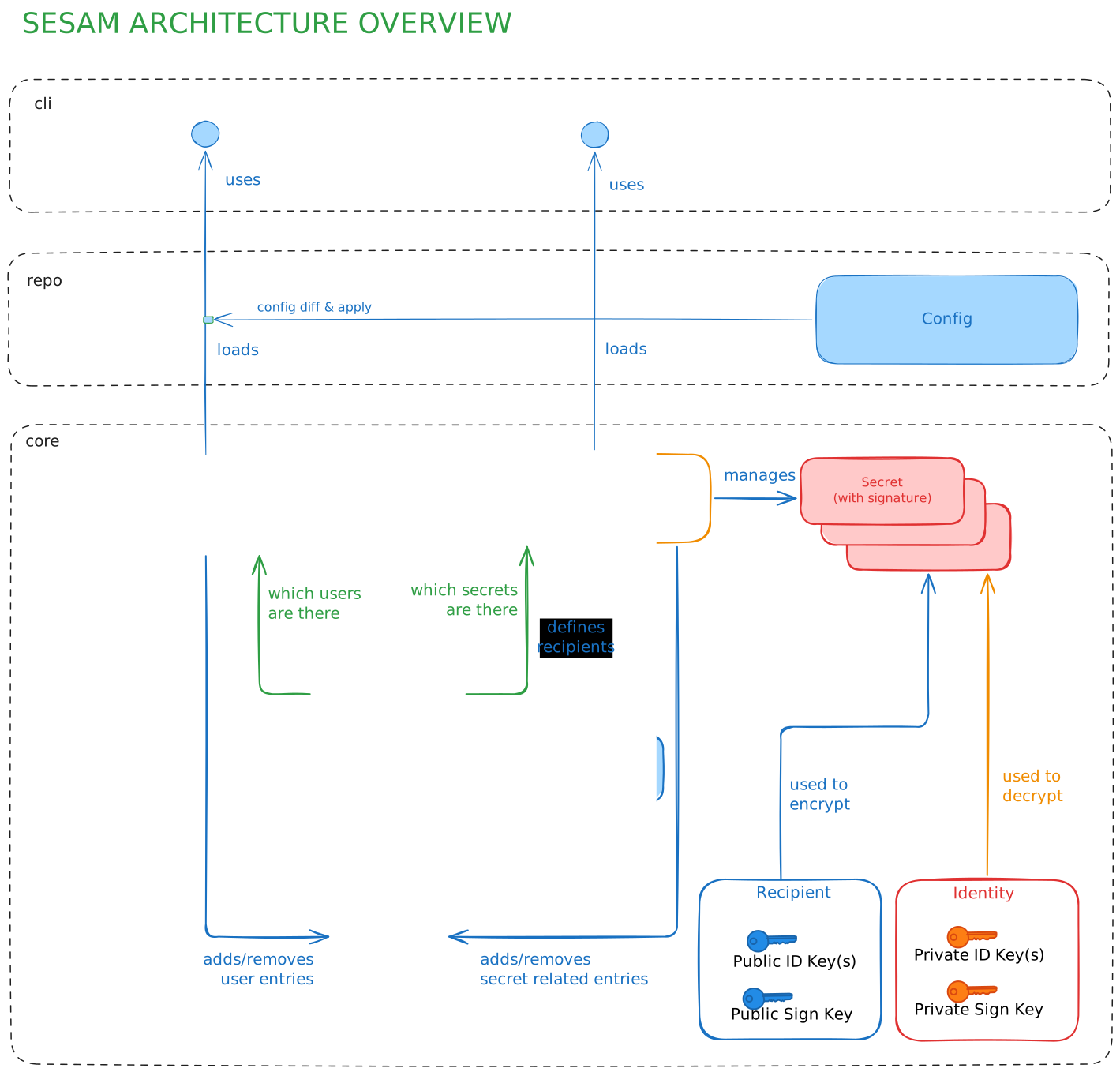
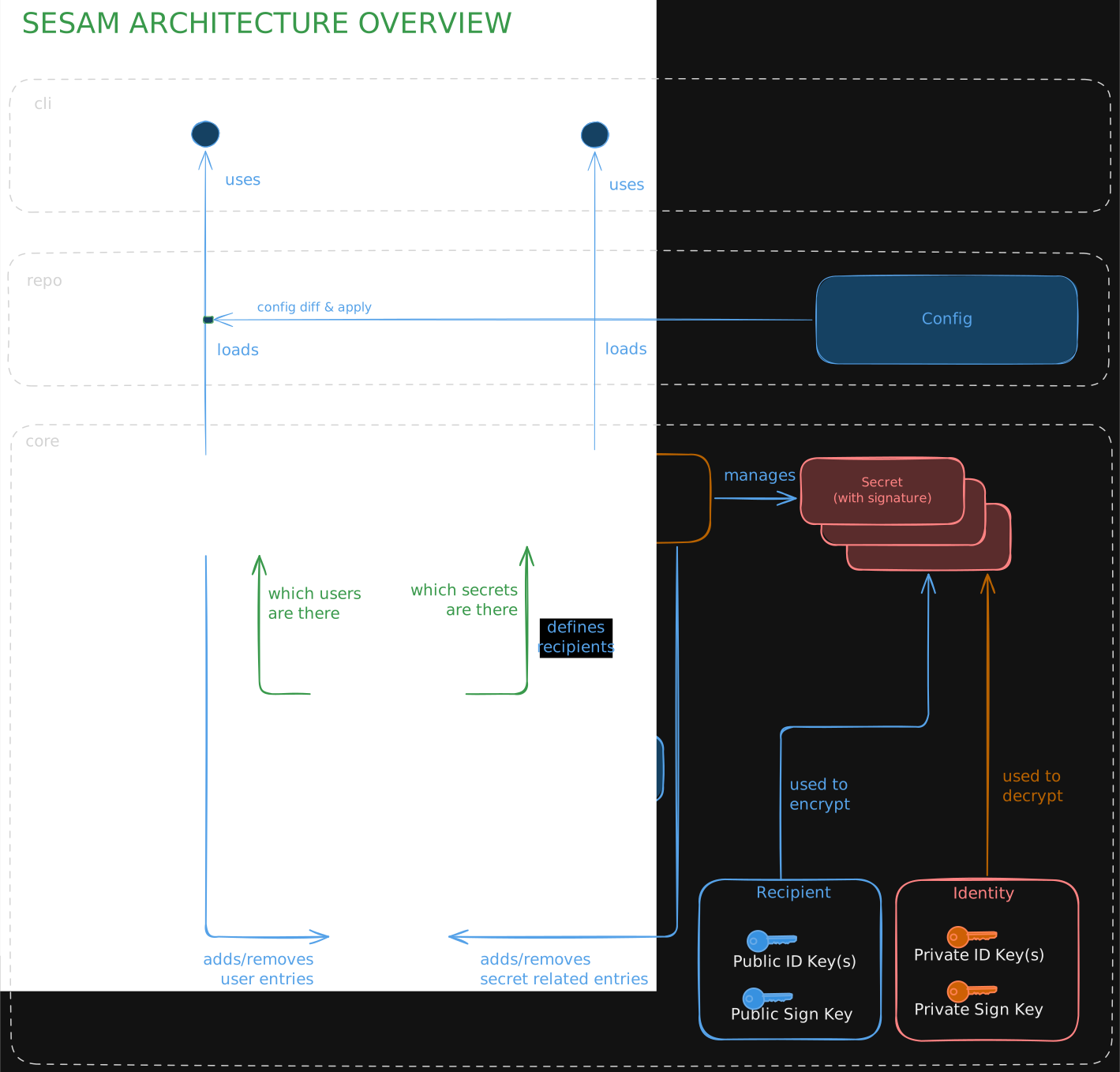
This is a very brief summary of what components we have.
- secret: A single age-encrypted file with a footer that can be decrypted by all configured recipients.
- footer: Each sealed file has a footer storing the revealed path, ciphertext hash, HMAC content hash, recipients hash, sealer, and signature.
- repo: The place where
sesamstores its state (i.e..sesam/). That's the main part you want to commit. - recipient: A public key attached to a user, required for decryption (terminology copied from
age). - identity: The private key used by users, required for decryption (terminology copied from
age). - audit log: A log that keeps track of what file operations were done on the repository. It is signed and append-only, so that tampering would be immediately detected. By replaying the log we can derive the verified state.
- verified state: The state that we expect in the repository. Contains information about all users, groups and secrets.
- config: The
sesam.ymlfile(s) on disk. They may diverge from what the verified state describes. If this is the case,sesam config diffwill show the differences. We call this the desired state. - keyring: When rebuilding the application from the audit-log we collect all public keys of all users in this structure.
- signkey: Each user has a private signature key only he can read. We store those age-encrypted in the repo.
- user: Users are user IDs that have a signkey, one or more identities, one or more recipients, and membership in one or more groups.
Design guidelines
Those are a couple of rough directions we try to adhere when modifying sesam.
gitintegration is important. We don't support other version control systems, and usingsesamoutside of agitrepository might be possible, but definitely way less powerful.- If possible, all state should be in
.sesamand all state should be as small as possible. - Revealed files and encrypted files should be two different places. Tools like
ageboxandgit-cryptflipping around between them (even withsmudgefilter) never works well in the end. - Where possible we re-use well regarded projects and standards like SSH and age. Use what developers (i.e. users) already have.
- The revealed files are a subset of the files that are sealed. Not all users can reveal all files. Keep that in mind.
- Private key handling should be in the control of the user. There are so many ways to provide a key, we just need to optimize for the most common ones.
sesamshould support several.sesamdirs per git repo,.gitand.sesamdon't need to be in the same folder.- We use multicode to encode hashes, priv/pub keys and signatures in a self-describing way.
Why age and ssh?
Most existing tools seem to rely on OpenGPG or symmetric keys for encryption. We never particularly enjoyed using PGP, although it is a feature-rich solution. In our experience it broke rather often and is really awkward to use for machine users.
sesam is mainly (but not exclusively) a tool from developers for developers.
Many developers are familiar with ssh as a daily driver of their work. Most people using GitHub or any other popular forges use it to authenticate themselves to the service. Meaning: They already have a key they could use for sesam. Also forges give us a big public key directory that we can use right away.
ssh itself is meant for networking; we were only interested in the
key concept. Luckily age exists, which not only supports ssh keys
for hybrid encryption but also provides a clean encryption format and
post-quantum keys.
Additionally age offers a full plugin
system, making extending
sesam with new ways of authenticating (e.g. FIDO keys) easier.
Why not a clean/smudge filter?
The obvious git-native approach would be a clean/smudge filter à la git-crypt:
track the secret at its real path, encrypt on git add, decrypt on checkout,
and let the ciphertext live only as a blob in .git/objects. We deliberately
don't do this. sesam keeps the ciphertext as a real file under
.sesam/objects/ and owns those bytes end to end.
-
age is non-deterministic, on purpose: Every seal produces fresh ciphertext (and a fresh footer signature over it), which hides which secret changed. A clean filter is expected to be roughly deterministic.
gitcomparesclean(worktree)against the stored blob to decide if a file changed. Non-deterministic clean output means every checkout, stash oradd -Acan mark unchanged secrets as modified, causing spurious re-encrypts and history churn. We are not alone alone on that view either. -
The current layout is fail-safe; a filter fails open: In our model the plaintext paths are gitignored and only ciphertext objects are tracked, so committing a plaintext secret is very hard. With a filter the plaintext path is the tracked file, and "don't leak plaintext" rests entirely on the filter actually running. A fresh clone without sesam configured, or a filter that breaks silently could commit plaintext without the user realizing.
-
Leveled access does not fit the filter model: Not every user can decrypt every secret. With separate ciphertext/plaintext files this is trivial: a user reveals only what they can, and the rest stay as ciphertext objects with no plaintext pendant. A smudge filter would have to pass undecryptable ciphertext straight into the real path, so a user's worktree becomes a mix of plaintext and ciphertext files that are indistinguishable by name. Not writing revealed paths we don't have access to is no option either, as those would be counted as deleted by
giton the nextgit add. -
Atomicity: git gives us atomic blobs, index and ref updates, but our invariant spans several files (secrets ↔ audit-log root hash ↔ signkeys).
gitcan't express that transaction; our.sesam-tmpstaging swap can. A filter would split the write across git's index and our pre-commit hook, leaving a window where sealed blobs are staged with no matching audit entry. -
We want to stay mostly decoupled from git. What we want is to integrate with
git, not fully depend on it. If we would ever extend support to other VCS then having a hard dependency on clean/smudge we would have a hard time migrating. The existing integrations tie nicely into the core model ofsesam, which is independent of any VCS. Having our own layout also gives us some freedom to change.
In short: clean/smudge is a nice idea, but was not really build with encryption in mind.
Two state representations
sesam operates on two different views of the repository:
sesam.yml- the declared state. Edited by humans. Describes who should be in which group and which secrets exist.- The audit log under
.sesam/audit/log.jsonl- the verified state. Append-only, signed, replayed to derive the actual current state.
sesam apply is the bridge between them: it diffs the two and proposes
audit-log entries to bring the verified state in line with the declared
state. Verification always operates on the audit log; the declared
state is treated as a request, never as truth. This is what makes the
Invalid modified config attack (see below) recoverable.
Persistence
sesam will store all its data inside the .sesam directory. This directory may be in the
same directory as a .git folder or inside a subdirectory of a git repository.
sesam.yml
.gitattributes
.gitignore
.sesam
├── audit
│   ├── init
│   └── log.jsonl
├── objects
│   ├── some_folder
│   │   └── secret.sesam
│   └── README.md.sesam
├── signkeys
│   ├── user1.age
│   └── user2.age
└── tmp
sesam.yml
The config file describing the desired state. Read more on the Config page.
.gitignore
Written on sesam init. Will by default block all files except the ones visible in the tree above.
This is to make sure that you do not commit revealed files by accident. If you have extra files
you want to commit then you can of course add them here.
.gitattributes
Written on sesam init. Defines the git integration of sesam.
objects
The files in the objects folder are named the same way as their revealed pendants, just under a different root (.sesam/objects).
The .sesam format is age but with an added footer at the end.
The footer is limited to 4KB and is delimited by a newline. This makes obtaining an age compatible file easy:
head -n -1 .sesam/objects/secret.sesam > secret.age
The header contains this information encoded as a single JSON line:
{
  "path": "secret.txt",
  "cipher_text_hash": "FiB0eH3drhYns5xqSy2sXINndqwUgyShJXL2u+zOWtqouQ==",
  "hmac_content_hash": "FiCVsGLjTYYH7ECkxR3Kou4cx1drQ+3EjDnhHQMLLU+I8g==",
  "recipients_hash": "FiBhMoSClLQvUewkfIPU9Rl0lE1UCCxt2aHUS/uQofv21A==",
  "signature": "7aEDQKhzZ4EDbFoMaTC0UtSaKzt8axfBEcR5UAlHbyZM+DGA/qL72oUXq5cPOvMBeQ6IyUI8sfqnVOa2F1XQx/a9jgM=",
  "sealed_by": "user",
  "version": 1
}
- The hash used is
sha3-256 - The signature used is
ed25519using the sealer's signing key. recipients_hashis an order-independentsha3-256over the recipients' public keys. It lets an incremental seal detect a changed recipient set (e.g. a user told into a group) without decrypting the object. It is folded into the signed payload alongside the content hashes, so a forged hash is rejected on verify.hmac_content_hash: Is the content hash as HMAC using the file's age encryption key.cipher_text_hash: Is the hash of the encrypted content.- On reveal,
sealed_byis checked against the access list ofpathin the verified state. A signature is rejected if its sealer has no current access to the secret, even when the signature is cryptographically valid.
audit log
init
The init file is written once per sesam init. You may never modify it,
as we check if it was modified over the course of the git repo's lifetime.
It contains an UUID generated during init.
log.jsonl
The encoding of the audit log. See Audit log Specifics for the entry schema.
- First line is the base64 encoded, age-encrypted audit-key log.
- This first line will change when adding new users or removing existing ones.
- Every other line is a base64 encoded audit entry.
- Each entry is encoded as JSON and then encrypted with the symmetric key from line1 with
XChaCha20Poly1305. - Each entry carries its own random nonce as a prefix.
- The
seq_idis the entry's associated data, so a line moved within the log fails to decrypt. - Anyone who can decrypt line 1 can decrypt the entire log. In practice
this means every currently-active user. After a
kill, the symmetric key is rotated and line 1 is rewritten - but a removed user who already pulled retains the ability to decrypt log entries up to the rotation point.
signkeys
Each user possesses an Ed25519 signing key, generated during sesam init or
adding of that user. The private key part is stored in this directory under the
user's name. It is encrypted using age. Each signing key is only accessible
via the identity of that specific user.
Why separate signkeys? Because regular age keys do not allow signing, while ssh keys do. To allow both (and possibly more in the future) we coupled the identity to a separately managed signing key.
A user who has been removed via sesam kill retains their old
signkeys/<user>.age file in git history, and can still recover the
private key with their identity. They can therefore still produce
ed25519 signatures with their old key. This is harmless because their
signing public key is no longer in the active state derived from the
audit log, so any signature they produce will be rejected at verify
time.
tmp
We use our own tmp folder to make sure sensitive information is not stored
outside .sesam. This also gives us the guarantee (well, if the user is not
really doing weird stuff) that we're on the same partition, which makes
renaming files atomically easier.
Cryptography
Short facts
- Two kinds of keys: signing (ed25519) + identity/recipient (ssh or age)
- Hybrid encryption using
age(X25519) and an additional signature. - Audit log proving who added which user or secret at what time.
- Audit log is encrypted to avoid spilling too much information.
- Secrets are linked to the audit log by storing a root hash, built out of the individual hashes of all current secrets.
- Only admin users can add or remove users.
- Only users with access to a secret can give access to other users.
Threat model
sesam protects against the following threats:
| Threat | In scope | Mitigated by |
|---|---|---|
| Read-only attacker on the git remote | Yes | age hybrid encryption of all files in .sesam/objects |
| Repo-write collaborator self-elevating to admin | Yes | New audit entries must be signed by an admin already pinned |
| Repo-write collaborator adding self to a secret's reveal list | Yes | Same - must be signed by an existing recipient |
| Audit log truncation / substitution | Yes | Init-file pin + prefix check across git history (see below) |
| Repo-write collaborator pushing broken state (DoS) | Partial | sesam verify flags it, but the repo state needs to be reverted |
| Compromise of forge public-key directory (e.g. github:user) | Partial | Resolved keys + alias pinned in audit log (TOFU); manual exchange is safer |
| Force-push that rewrites history | Out of scope | User must disable force-push at the forge |
| Local machine compromise / identity-key extraction | Out of scope | User responsibility (e.g. encrypted fs) |
| Removed user reading secrets they previously had access to | Out of scope | Requires explicit rotate; see Confidentiality section |
Social engineering of an admin (e.g. sesam tell attacker) | Out of scope | - |
Aspects
A cryptosystem needs to fulfill different aspects which we try to describe here.
Confidentiality - data is only disclosed to authorized parties
This is guaranteed by age. Only encrypted files in .sesam/objects are pushed.
Using hybrid encryption, only the recipients defined at seal time can
decrypt the file.
If a user is added we will re-encrypt the files to include the user accordingly to all files he has access to. When removing a user we have to consider all secrets known the user had access to. Future secrets will not include him/her as recipient, but a rotation of secrets is required.
Removing a user does not revoke access to secrets they could previously read. Two reasons:
- The encrypted ciphertexts they already pulled are still decryptable with their identity key, forever.
- Past commits in git history still contain those ciphertexts encrypted to their old recipient.
To actually revoke access, follow sesam kill with sesam rotate for
every secret the user could read. This is a property of any
secret store - not unique to sesam.
Integrity - data is not modified in unauthorized ways
Both the audit log and the actual secret files have signatures attached to them.
The audit log's signatures are verified on most commands (seal, tell, kill, ...) but not all
(sesam show for git diff textconv is intentionally lightweight for UI/UX purposes).
Full integrity check is being done on revealing the secrets or when doing sesam verify --all.
This includes checking that the user named in sealed_by has access to the secret
according to the verified state. sesam show (git diff textconv) skips this check
by design. Run sesam verify --all for the authoritative result before trusting a
value.
Availability - data/systems are accessible when needed
This can be split in two parts: Repository availability and Secret availability.
Since sesam is not a long running process, repository availability is mostly the same as in every
git repository. You can always clone a repo and retrieve the encrypted files in it as long the remote is available.
Secret availability means that we have to make the secrets available when needed (e.g. for deployments).
The stronger the verification is the more likely it is that deployments will fail to run because we found
something suspicious. As a user you can choose between fast reveals (more availability - just
git pull plus the smudge filter) and high integrity (additionally
running sesam verify --all, or using sesam reveal --pull).
The best solution of both worlds is to set up a job in CI that tells you when a sesam repo does not verify correctly anymore and act accordingly before you go to deployment.
Authenticity - the entity is who it claims to be
This is guaranteed by having an intact audit log. Every user has a public signing key that is stored in the audit log when the user was created. All signatures made by this user can therefore be verified to be authentic by all other users.
Non-repudiation - a party cannot later deny an action they took
The audit log is append-only by design. Replacement and truncation are not prevented at the storage layer, but they are detectable:
- Replacement is caught because the init UUID and signature in
.sesam/audit/initare pinned in the first commit and checked over git history. - Truncation is caught by verifying that the audit log at each prior commit is a strict prefix of the log at the next - i.e. the log never shrinks across history.
Caveat: This only holds true when force pushes are not allowed or at least noticed.
Accountability - actions can be traced to a responsible party
Entries in the audit log have a user name attached to them.
Reliability - consistent intended behavior
Reliability here means crash-safety, not determinism. Given the same
inputs, sesam seal produces different ciphertext on purpose
(inherited from age). This makes it harder for a read-only attacker
to identify which secret changed between two commits.
On the other side we do the following things to stay reliable in case of crashes:
- We use atomic renames where possible to avoid half-written files and inconsistent state.
For larger operations we have a staging tree at
.sesam-tmpwhere all operations need to succeed before we swap it back with the main state. - We use file locking to avoid having several processes working on the repo.
- The audit log can detect logic failures.
Assumptions
We assume a few things about our environment that are hopefully not fully unreasonable:
- The git history is linear, i.e. we can detect if someone tampered with the audit log. This means
git push --forcemay not be allowed. This can be easily disabled by most forges and is usually the better default for most use cases anyways. - Users having write access to the repository have a certain level of trust. If malicious, they might not be able to read secrets, but it
might be possible to cause outages by pushing broken secrets that make
sesam verifyor other commands complain. - Some local operations (like viewing diffs or doing an checkout of old branches) do not require full verification on every step. We assume the user
regularly runs
sesam verify --all(e.g. during CI/CD) before doing anything serious like deployment. - User identities are stored securely and are not shared between users.
Attack vectors
In this section we collect attack vectors we are protecting users of sesam from.
Replacing secrets with attacker supplied content
Signatures protect the integrity of a secret, but what if the signature is replaced as well?
- If the attacker does not add an entry to the audit log, then we will notice because the
root_hashchanged. - If the attacker tries to add an audit entry then he has no way to sign it if he is not already part of the repository.
- If the attacker is part of the repository but cannot access this specific secret, the file's footer will name them in
sealed_by. Onsesam revealandsesam verify --allwe check thatsealed_byis in the secret's access list and reject the file otherwise.sesam showand the git diff/smudge integration skip this check by design. - If the attacker already had legitimate access to the secret then this is out of scope for
sesam.
Self-add to reveal list or admin list
Similar, what stops an attacker from adding himself to the access list for a secret or make himself an admin?
For admins: Only admin users can add new users or change groups. A user might be part of the repository and can therefore append an entry with valid signature to the audit entry. However, the signature must be from an admin user that was an admin already before that entry.
Similarly, users cannot add themselves to the access list for specific secrets. We check that the user changing the access list had access to the secret beforehand.
Audit log substitution or truncation
One could try to substitute all of the audit log to tell another story about the repository's state. Alternatively, one could truncate the audit log to a state that is more favorable for the attacker.
There are two mechanisms that can detect such:
- The first entry of the log has a hash which is stored separately in
.sesam/audit/init. This file should never change over git history. We verify that git history contains only one committed content for it and that the on-disk file matches that committed content. During verification we compare this stored hash to the hash of the first audit-log entry. This test catches complete log substitution. - A more thorough test is to check if the audit log is only growing. Since it's append only we would notice truncations by going back in history and seeing if each commit contains an audit log that is an prefix to the audit log in the commit afterwards. This test is too expensive to be run all the time but will also notice if the log was truncated.
Denial of Service via broken repo
Someone could do some of the things above unsuccessfully and still push it. The result might be a broken audit log or
secrets with wrong signatures or hash values. In any case, sesam verify will complain - which is the right thing to do here.
But this will also lead to secrets not being revealed. If sesam is part of a deployment pipeline we have to rely on the user
stopping the deployment and checking what's up before potentially deploying old secrets (causing trouble later on).
Invalid modified config
The audit log describes the current state of the repo, while the config (sesam.yml) describes the state the repository should have.
This could be hijacked though by an attacker pushing a modified config with the changes he or she would like to see and then convince or trick
another privileged user (e.g. an admin) to then call sesam apply to change the state accordingly. It is a rule therefore to allow for sesam apply
to only apply the changes if they are present as git diff in the current working directory. When the change came already committed, then
apply and verify will complain. There are situations where this could be valid though, which is why you can force apply to do it anyways.
Supply chain attacks
A very hard thing to mitigate. We don't do very well here yet.
- We try to use only few, trusted and well established libraries.
- We use
govulncheckto stay informed about know vulns. - Release checksums are signed to at least avoid binary based supply chain attacks.
Possible improvements
- Using forge-ids or links as public key input has transparency issues:
the resolved key material is pinned into the audit log on
tell(TOFU), but the first resolution still trusts the forge. Surface a clear summary of which user/public keys are about to be recorded before signing the audit entry, and document that side-channel exchange is safer when high assurance is required.
Implementation
Audit log Specifics
Append-only, hash-chained and signed log of all state-changing operations.
Stored under .sesam/audit/log.jsonl.
Entry structure:
| Field | Description |
|---|---|
seq_id | Monotonic sequence number (starting at 1) |
prev_hash | SHA3-256 (multihash-encoded) of the previous entry |
operation | Operation type (see below) |
time | ISO8601 UTC timestamp |
changed_by | User that executed the operation |
detail | Operation-specific data (see below) |
signature | Ed25519 signature over all other fields (canonical JSON) |
Operation types:
| Operation | Detail fields | Notes |
|---|---|---|
init | InitUUID, Admin (embedded UserTell) | Trust root. Pins the first admin. See below. |
user.tell | User, PubKeys, SignPubKeys, Groups | Add a user. Must be signed by an admin. |
user.kill | User | Must not remove the last user or last admin. |
user.rename | OldName, NewName | May not rename to an existing user. |
user.change_groups | User, NewGroups | Replace a user's group membership. |
user.add_recipients | User, PubKeys | Add age recipient key(s) to a user. |
user.rm_recipients | User, PubKeys | Remove age recipient key(s) from a user. |
user.regenerate_sign_key | User, NewSignPubKey | Rotate a user's signing key. |
secret.add | RevealedPath, AccessGroups | Add a new secret and its access list. |
secret.change_access | RevealedPath, AccessGroups | Change an existing secret's access list. |
secret.move | OldRevealedPath, NewRevealedPath | Rename or move a secret. |
secret.remove | RevealedPath | Only users with access may remove. |
seal | RootHash, FilesSealed | Hash over all sorted signatures. |
Initial group membership is part of the user.tell detail; later changes go
through user.change_groups. Admin status is determined by membership in the
"admin" group.
Secret Management Alternatives
Why another tool?
There are five reasons why we've set out to build our own tool.
1. We like to have a decentralized tool that works well together with git
Existing tools only have minor or inconsequential integration in git. From
our perspective, building on top of git makes a lot of sense. It's everywhere
where developers are, it gives us versioning, transport to remotes and a huge
ecosystem for free. Also, it offers plenty of integrations for tools to extend
it. From what we know those have never been fully maxed out by existing tools
yet.
2. None of the existing decentralized tools support leveled access
There are centralized tools like Infisical that support that. In decentralized
tools it is harder to implement a secure user management system. Even harder
when it should not completely duplicate the user management of other existing tools.
In professional software development, there will always be different access levels. For example: An intern should not have access to all secrets required to deploy prod. One could create several repositories, but that is obviously tedious.
Instead we support users that are easy to add if you are using one of the popular git forges. We can even warn you, if a user is not there anymore or changed their public keys. Later versions might even extend that (e.g. adding constraints that a user has to be part of a org).
3. Central tools are targeting large organisations
While centralized tools will work fine overall, they require some setup, need to be constantly running and in some cases cannot be self-hosted - in the latter case the trust model becomes "trust me, bro".
We consider this to be a matter of preference, there is nothing wrong with them if you prefer this model. However, we want to add an alternative for small to middle-sized teams and individuals.
4. Modern cryptography and security concept
Most existing decentralized tools use PGP/OpenGPG. While this certainly works,
it is a standard that has a lot of pitfalls and is honestly a bit dusty. It
also has little overlap with the typical developer tooling, where everyone
already has an SSH key. That's why we've chosen age as the main ingredient.
We wanted to also build a more rounded version, security wise. Existing tools encrypt secrets at rest, but don't really detect if secrets were just exchanged by other encrypted files or if even the integrity was altered. They might protect against leaking secrets, but not against a person having access to the repo exchanging the content with something evil.
Our audit-log based design can build trust and detect issues easily. If your secrets still get leaked we are aiming at support rotation natively.
5. We need a modern, ergonomic & easy-to-understand tool
In general, our background is with git-secret. It carried our secrets for several years fine and we are thankful it exists. However, it has many pitfalls and some trivial operations require weird invocations that will certainly confuse new developers.
Modern CLI tools have leveled up a bit and we take inspiration from them by offering a friction-less usage experience. We tried to reduce interaction with the tool where possible and try to make the rest as easy and discoverable as possible. As far as we know, we are also the only tool supporting declarative workflows (i.e. secrets and users are configured and then applied similar in concept to docker-compose or terraform).
Decentralized / Git-native tools
The table below maps the five reasons above onto the tools most similar to sesam. We are obviously biased since we defined the categories we compare against, so take it with a grain of salt. Your requirements might be different than what we want from a tool.
Let us also know if you found something wrong here, there's so many tools that do roughly the same thing and it makes keeping an overview hard.
| git-crypt | git-agecrypt | git-age | git-secret | sops | agebox | Sealed Secrets | sesam | |
|---|---|---|---|---|---|---|---|---|
| 1. Works natively with git | ||||||||
| Transparent git UX | ✓ | ✓ | ✓ | ✗ | ✗ | ✗ | ✗ | ✓ |
| 2. Leveled, per-user access | ||||||||
| Named per-user recipients | ✓¹ | ✓ | ✓ | ✓¹ | ✓ | ✓ | ✗ | ✓ |
| Per-file selective access | ✗ | ✓ | ✗¹⁰ | ✗ | ✓ | ✗ | ✗ | ✓ |
| Leveled access (admin / user roles) | ✗ | ✗ | ✗ | ✗ | ✗ | ✗ | ✓² | ✓ |
| 3. Decentralized — no service to run | ||||||||
| Self-hosted / offline, no server | ✓ | ✓ | ✓ | ✓ | ✓ | ✓ | ✗³ | ✓ |
| 4. Modern crypto & verifiable security | ||||||||
| Modern crypto (no GPG) | ✗⁴ | ✓ | ✓ | ✗ | ✓⁵ | ✓ | ✓ | ✓ |
| Signed + hash-chained audit log | ✗ | ✗ | ✗ | ✗ | ✗ | ✗ | ✗ | ✓ |
| Detects content swaps / history tampering | ✗ | ✗ | ✗ | ✗ | ✗ | ✗ | ✗ | ✓ |
| Rekey on user removal | ✗ | manual | manual | manual | manual⁶ | manual | ✗ | ✓ (automatic) |
| 5. Modern, declarative UX | ||||||||
Declarative desired-state + apply | ✗ | ✗ | ✗ | ✗ | partial⁷ | ✗⁸ | partial⁹ | ✓ |
| Production-ready | ✓ | ✗¹¹ | ✓ | ✓ | ✓ | ✓ | ✓ | ✗ (in development) |
¹ Per-user identities come via GPG keys.
² Access levels are enforced by Kubernetes cluster RBAC at runtime, not in git.
³ Needs an in-cluster controller to decrypt; not usable offline or outside Kubernetes.
⁴ AES-256, but GPG is used to share the symmetric key with each user.
⁵ Achievable with the age or KMS backends; PGP remains an option.
⁶ sops updatekeys, run manually per file.
⁷ .sops.yaml creation_rules apply only to newly-created files; existing files need a manual sops updatekeys.
⁸ .ageboxreg.yml is an auto-generated tracking file, not an authored desired-state spec.
⁹ SealedSecret manifests are reconciled by the controller (GitOps), but users/access live in separate cluster RBAC, not the spec.
¹⁰ Recipients are managed repo-wide in a single .agerecipients; every recipient can decrypt every file.
¹¹ Functional but dormant (no commits since 2024).
Overview
| Tool | Lang | Since | Maintenance | Git integration | Encryption |
|---|---|---|---|---|---|
| git-crypt | C++ | 2013 | slow | transparent (clean/smudge) | AES-256-CTR |
| Transcrypt | Bash | 2014 | active | transparent (clean/smudge) | AES-256-CBC¹ |
| git-secret | Bash | 2015 | active | explicit hide/reveal | GPG (RSA/curve) |
| keyringer | Bash | 2012 | active | explicit encrypt/decrypt | GPG |
| BlackBox | Go | 2013 | abandoned | explicit encrypt/decrypt | GPG |
| gopass | Go | 2017 | active | git backend (pass-compatible) | GPG / age |
| sops | Go | 2015 | very active | none native² | age / PGP / KMS |
| agebox | Go | 2021 | slow | none native² | age (X25519 / SSH) |
| git-agecrypt | Rust | 2021 | dormant | transparent (clean/smudge) | age (X25519 / SSH) |
| git-age | Go | 2024 | active | transparent (clean/smudge) | age (X25519) |
| Sealed Secrets | Go | 2017 | active | commit sealed YAML | RSA-OAEP + AES-GCM |
| cottage | Rust | 2026 | new³ | explicit encrypt/decrypt (ctg) + env-inject | age (X25519 / ssh) |
| sesam | Go | 2025 | in development | transparent (hooks, diff, merge) | age / XChaCha20-Poly1305 / ssh |
¹ AES-CBC via OpenSSL — considered weaker than GCM/ChaCha20.
² Works alongside git but requires explicit encrypt/decrypt invocation.
³ Project is only weeks old at time of writing - feature surface and maintenance trajectory not yet established.
Access control
| Tool | Multi-user | Decl. config | Per-file ACL | Leveled access |
|---|---|---|---|---|
| git-crypt | GPG or symmetric | ✗ | ✗ | ✗ |
| Transcrypt | symmetric (shared secret) | ✗ | ✗ | ✗ |
| git-secret | GPG keyring | ✗ | ✗ | ✗ |
| keyringer | GPG keyring | ✗ | ✗ | ✗ |
| BlackBox | GPG keyring | ✗ | ✗ | ✗ |
| gopass | recipients per store | ✗ | ✓ (per subtree)¹ | ✗ |
| sops | yes | ✓ | ✓ | ✗ |
| agebox | age recipients | ✗ | ✗ | ✗ |
| git-agecrypt | age recipients | ✗ | ✓ | ✗ |
| git-age | age recipients | ✗ | ✗ | ✗ |
| Sealed Secrets | cluster RBAC | ✗ | ✗ | ✓ (cluster RBAC) |
| cottage | age recipients | ✗ | ✓ (allow/deny globs) | ✗ |
| sesam | age recipients | ✓ | ✓ | ✓ |
¹ A subdirectory .gpg-id overrides the root recipients for that subtree, so access is
directory-shaped: restricting a single secret means giving it its own directory, and every
recipient listed there is equal.
Security
| Tool | No GPG | Signed entries | Audit log | Key rotation | Rekey on removal |
|---|---|---|---|---|---|
| git-crypt | ✗ | ✗ | ✗ | poor (manual) | ✗ |
| Transcrypt | ✓ | ✗ | ✗ | poor | ✗ |
| git-secret | ✗ | ✗ | ✗ | manual | ✗ |
| keyringer | ✗ | ✗ | ✗ | manual | ✗ |
| BlackBox | ✗ | ✗ | ✗ | manual | ✗ |
| gopass | partial | ✗ | ✗ | manual | ✓ (re-encrypt)² |
| sops | ✓ | ✗ | ✗ | sops rotate | manual |
| agebox | ✓ | ✗ | ✗ | partial | manual |
| git-agecrypt | ✓ | ✗ | ✗ | manual | ✗ |
| git-age | ✓ | ✗ | ✗ | manual | ✗ |
| Sealed Secrets | ✓ | ✗ | k8s audit | key renewal | ✗ |
| cottage | ✓ | ✗ | ✗ (checksum only) | not documented | ✗ |
| sesam | ✓ | ✓ | ✓ (encrypted, signed, hash-chained) | manual | ✓ (automatic) |
² gopass recipients remove re-encrypts every secret to the remaining recipients. It is a
separate step you have to remember; sesam does it as part of sesam kill and rotates the
underlying key while doing so. Neither can help with what the removed person already read,
or with old revisions still sitting in the git history - gopass says so plainly in its docs,
and it applies to sesam just the same.
Env-file / app-config focused tools
This is a bit of a separate niche: These tools manage .env files. Their
smallest level of secret is an environment variable that is being managed,
while for sesam it is files (except for templates).
They fit well for use cases where you inject your configuration via environment
and don't have a lot of complete files. In some sense sops could be added here as well.
| Tool | Lang | Since | Encryption | Scope | Multi-user model | Audit / rotation |
|---|---|---|---|---|---|---|
| dotenvx | JavaScript | 2023 | ECIES (secp256k1) + AES-256-GCM | values inside .env | shared private key, distributed out of band | dotenvx rotate, no audit log |
| fnox | Rust | 2025 | age (X25519 / SSH) or cloud KMS (AWS / Azure / GCP)⁵ | per-value in fnox.toml, env-inject via fnox exec | age recipients or KMS IAM | no audit log; rotation not documented |
| varlock | TypeScript | 2025 | optional / plugin-driven⁴ | .env.schema + values, plugin-resolved | delegated to plugins (1Password, AWS, …) | depends on plugin |
| secretspec | Rust | 2025 | none (delegates to backend) | declares which secrets an app needs | delegated to backend (keyring, 1Password, AWS Secrets Manager, Vault, …) | local append-only access log; deeper auditing per backend |
⁴ varlock's primary security story is leak prevention (schema, scanning, log redaction) rather than a specific encryption scheme - encrypted local state is mentioned but not deeply documented.
⁵ A jack-of-all-trades: behind one fnox.toml it spans encryption providers (age/SSH, AWS/Azure/GCP KMS), remote backends (Vault, 1Password, Infisical, cloud secret managers). It leans decentralized — the default age/SSH path keeps secrets git-native with no server — but can equally act as a thin client over a centralized store. Either way the unit is an individual value (per key, providers mixable), not a file.
Centralized / service-based tools
These tools make the most sense when you are operating a large organization, need dynamic secrets or have compliance requirements.
| Tool | Model | Encryption | Audit log | Leveled access | Decl. config | Git workflow |
|---|---|---|---|---|---|---|
| HashiCorp Vault | self-hosted server | AES-256-GCM (storage barrier) | ✓ (detailed) | ✓ (policies + roles) | ✓ (HCL) | env-inject or agent |
| Infisical | SaaS / self-hosted | AES-256-GCM | ✓ | ✓ (roles) | ✓ | env-inject, SDKs |
| Doppler | SaaS | AES-256 | ✓ | ✓ (roles) | ✓ | env-inject, CLI sync |
| 1Password CLI | SaaS (op) | AES-256-GCM | ✓ | ✓ (vault permissions) | partial | env-inject (op run), SDKs |
| AWS Secrets Manager | AWS managed | AES-256 (KMS) | ✓ (CloudTrail) | ✓ (IAM policies) | ✓ (IaC/CDK) | SDK / env-inject |
| GCP Secret Manager | GCP managed | AES-256 (CMEK opt.) | ✓ (Cloud Audit) | ✓ (IAM roles) | ✓ (IaC/Terraform) | SDK / env-inject |
| Ansible Vault | file-based (no server) | AES-256-CTR + HMAC-SHA256 | ✗ | ✗ | ✓ (playbooks) | committed ciphertext |
NAME
sesam - Manage encrypted secrets in git repositories
SYNOPSIS
sesam
[--askpass]=[value]
[--clipboard-copy-cmd]=[value]
[--clipboard-paste-cmd]=[value]
[--cpuprofile]=[value]
[--help|-h]
[--identity|-i]=[value]
[--lock-timeout]=[value]
[--memprofile]=[value]
[--no-color]
[--quiet|-q]
[--sesam-dir|-r|--repo]=[value]
[--verbose|-v]
[--verify-mode]=[value]
[--version]
DESCRIPTION
See https://opensesam.org for the documentation.
If no sub-command is given, but the first argument is a path, we assume 'sesam show path/to/secret' as convenience.
Usage:
sesam [GLOBAL OPTIONS] [command [COMMAND OPTIONS]] [ARGUMENTS...]
GLOBAL OPTIONS
--askpass="": Askpass helper for encrypted identities
--clipboard-copy-cmd="": Command reading the secret on stdin, instead of the system clipboard
--clipboard-paste-cmd="": Command printing the clipboard, instead of the system clipboard
--cpuprofile="": Write a CPU profile of this invocation to FILE (pprof format)
--help, -h: show help
--identity, -i="": Path to the age identity (can be given several times)
--lock-timeout="": Repository lock wait timeout (e.g. 5s, 30s, 2m) (default: 5s)
--memprofile="": Write a heap profile at exit to FILE (pprof format)
--no-color: Disable color always
--quiet, -q: Print less log output
--sesam-dir, -r, --repo="": Directory where .sesam lives (default: ".")
--verbose, -v: Print more log output
--verify-mode="": Adjust how strong or weak the disk state is verified ('all', or 'no-disk') (default: "all")
--version: Print the version and exit
COMMANDS
init
Initialize sesam in the current repository
--help, -h: show help
--install-alias: Make it possible to call sesam as git sesam
--install-diff: Install diff support in repo git config
--install-hooks: Install pre-commit and post-checkout git hooks (needs git >= 2.54.0)
--install-merge: Install merge support in repo git config
--user, -u="": Initial admin user name (if not given, git config is used to guess)
uninstall
Removes git integration and optionally all of the sesam repo
--all: Also remove sesam.yml and .sesam/
--help, -h: show help
--no-ask: Do not ask for confirmation for --all
verify
Verify sesam signatures and encryption state
--all: Run all verifications
--forge-check: Verify the forge public keys did not change since adding users
--help, -h: show help
--integrity: Check file integrity on disk
--json: Print output as JSON
--key-reuse: Double-check that no key is re-used between users
--truncate: Verify the audit log was not truncated over history
clean
Remove revealed plaintext and other untracked files from the sesam directory
--aggressive: Also delete other untracked files (similar to git clean -fdx)
--dry-run: Do not actually delete, just print what would be deleted
--help, -h: show help
--unsealed: Also delete plaintext whose content is not sealed: edited since, or never
doctor
Check sesam installation for possible problems
--help, -h: show help
hook
Util to manage git hooks
--help, -h: show help
pre-commit
Execute the pre-commit hook - meant to be run by git!
--help, -h: show help
post-checkout
Execute the post-checkout hook - meant to be run by git!
--help, -h: show help
pre-merge-commit
Execute the pre-merge-commit hook - meant to be run by git!
--help, -h: show help
post-merge
Execute the post-merge hook - meant to be run by git!
--help, -h: show help
install
Make sure the git hooks are installed
--help, -h: show help
uninstall
Uninstall any hooks
--help, -h: show help
add
Add a secret file or directory at PATH
--group, -g="": Group assignment for the secret (repeatable) - 'admin' is implicit
--group-add, -G="": Add to the secret's existing groups instead of replacing them
--help, -h: show help
--nested: When the secret lives in a subdirectory, give that directory its own sesam.yml instead of adding it to the main file
--no-seal: Do not run 'sesam seal' afterwards - useful when batching
--seal-all, --all: Seal every secret from its plaintext as it is, stale and diverged ones included
rm
Remove a secret file or directory
--force, -f: Also remove the revealed secrets
--help, -h: show help
mv
Move a secret file or directory to a new name
--help, -h: show help
--nested: When the secret lives in a subdirectory, give that directory its own sesam.yml instead of adding it to the main file
edit
Open secret in $VISUAL or $EDITOR and immediately seal it afterwards
--editor="": Editor executable to use instead of $VISUAL or $EDITOR
--help, -h: show help
--seal-all, --all: Seal every secret from its plaintext as it is, stale and diverged ones included
seal
Encrypt and sign changed secrets
--clean: Delete revealed secret files after successful seal
--help, -h: show help
--seal-all, --all: Seal every secret from its plaintext as it is, stale and diverged ones included
open, reveal
Decrypt all secrets available to the current user
--all, -a: Reveal every secret, overwriting plaintext you edited
--help, -h: show help
status, s
Show overview over repo state (revealed, sealed, unmanaged, ...)
--all, -a: Also show in-sync secrets and unmanaged files (hidden by default)
--diff, -d: Show the actual diff using git (extra args are passed to git)
--help, -h: show help
--json: Print output as JSON
--users, -u: Show users instead of groups
show
Show objects managed by sesam
--alsoclip, -C: Copy to clipboard and print to stdout
--clip, -c: Copy to clipboard instead of printing to stdout
--help, -h: show help
--ttl, -t="": How long to wait before clearing the clipboard (0 disables) (default: 45s)
--wait, -w: Wait for the password to be cleared instead of forking to the background
ls, list-secrets
List known secrets and metadata
--help, -h: show help
--json: Print output as JSON
rotate
Plan and execute secret rotation
--help, -h: show help
tell
Add a person to a group and re-encrypt files
--group, -g="": Group assignment (repeatable)
--group-add, -G="": Add to the user's existing groups instead of replacing them
--help, -h: show help
--no-seal: Do not run 'sesam seal' afterwards - useful when batching
--recipient="": Recipient key spec (e.g. github:alice) - can be given several times
--seal-all, --all: Seal every secret from its plaintext as it is, stale and diverged ones included
--user, -u="": User name to add or update
kill
Remove a person from the sesam repo entirely
--help, -h: show help
--no-seal: Do not run 'sesam seal' afterwards - useful when batching
--seal-all, --all: Seal every secret from its plaintext as it is, stale and diverged ones included
--user, -u="": User name to remove
user, u
User management commands
--help, -h: show help
list, ls
List persons, groups, and access
--help, -h: show help
--json: Print output as JSON
change-groups
Change the groups a user is in
--group, -g="": Group assignment for the user (repeatable) - 'admin' is implicit
--group-add, -G="": Add to the user's existing groups instead of replacing them
--help, -h: show help
--no-seal: Do not run 'sesam seal' afterwards - useful when batching
--seal-all, --all: Seal every secret from its plaintext as it is, stale and diverged ones included
--user, -u="": Which user should be changed
add-recipient, ar
Add a recipient to an existing user
--help, -h: show help
--no-seal: Do not run 'sesam seal' afterwards - useful when batching
--recipient="": Recipient key spec (e.g. github:alice) - can be given several times
--seal-all, --all: Seal every secret from its plaintext as it is, stale and diverged ones included
--user, -u="": Which user receives the new recipient
remove-recipient, rr
Remove a recipient from an existing user (may not be the last one)
--all-except, -a: Delete all except the recipients named by --recipient
--help, -h: show help
--no-seal: Do not run 'sesam seal' afterwards - useful when batching
--recipient="": Recipient key spec (e.g. github:alice) - can be given several times
--seal-all, --all: Seal every secret from its plaintext as it is, stale and diverged ones included
--user, -u="": Which user looses the specified recipient
regen-sign-key, rsk
Regenerate the signing key of a specific user
--help, -h: show help
--user, -u="": Regenerate the signing key for a user
rename
Give a user a different name
--help, -h: show help
config
Config management commands
--help, -h: show help
apply
Apply config differences to audit log and metadata
--help, -h: show help
diff
Show the diff between config and actual state
--help, -h: show help
get
Get specific config keys
--help, -h: show help
set
Set specific config keys
--help, -h: show help
reset
Derive config from audit log
--help, -h: show help
apply
alias for sesam config apply
--help, -h: show help
id
Identify the current user by age identity
--help, -h: show help
--json: Print output as JSON
keyring
Keyring utils
--help, -h: show help
clear
Clear cached passphrases from the keyring
--help, -h: show help
log
Show the audit log of secret changes
--full, -f: Show full timestamps and ids instead of shortened ones
--help, -h: show help
--json: Print output as JSON
Config Reference
sesam.yml is the declared state of the repository: it describes who the
users are, how they are grouped, and which secrets exist. sesam apply diffs
this file against the verified audit log and proposes the changes needed to
bring both in sync.
Key concepts
The admin group is always implicit. Every secret automatically includes
admin in its access list, regardless of what is written in sesam.yml. Listing
admin explicitly under a secret's access: is valid but redundant.
An absent or empty access list means admin-only. If you do not specify
access: on a secret, only members of the admin group can reveal it.
Public key formats. A user's key field accepts four forms:
- A literal SSH or age public key (e.g.
ssh-ed25519 AAAA…) - A forge identity shorthand (e.g.
github:alice) - An HTTPS URL pointing to a public key (treated the same as a forge-id)
- A local file path (useful for larger or machine-generated keys)
Forge-ids and URLs are resolved by the admin on first use. Any subsequent
change to the remote content is flagged as a warning when running sesam verify.
YAML anchors
If you want to re-use a part of your configuration, you can create a snippet:
# Everything starting with "x-" on toplevel will be ignored.
x-default-access: &default-access
  access:
    - group1
    - group2
    - group3

# Use it:
secrets:
  - path: foo.txt
    <<: *default-access
  - path: bar.txt
    <<: *default-access
For less often-used snippets it is sometimes useful to just reference another part directly:
secrets:
  - path: foo.txt
    access: &default-access
      - group1
      - group2
      - group3
  - path: bar.txt
    <<: *default-access
Read up on YAML anchors for more background.
version
The version of this config file format.
| Type | integer |
| Required | no |
| Default | 1 |
| Constraint | must be 1 |
users[]
List of users known to this repository.
| Field | Type | Required | Description |
|---|---|---|---|
name | string (non-empty) | yes | Name of a user |
key | string or array of string | yes | Public key(s) of this user. May be given once or several times. |
desc | string (non-empty) | no | Description or full name of this user |
groups
Named groups of users. Each key is a group name mapped to a list of user names from the users list.
Each value is array of string (non-empty).
secrets[]
List of secret definitions and sub-file includes.
Include form — delegates to a subordinate sesam.yml in a sub-directory
| Field | Type | Required | Description |
|---|---|---|---|
include | string (non-empty) | yes | Path to a subordinate sesam.yml file |
Secret form — registers a file as a managed secret
| Field | Type | Required | Description |
|---|---|---|---|
path | string (non-empty) | yes | Path to the decrypted secret |
access | array of string (non-empty) | no | Groups or users allowed to reveal this secret. Defaults to admin only when omitted. |
desc | string (non-empty) | no | Description of the secret |
Complete example
version: 1

users:
  - name: alice@example.com
    desc: Alice, team lead
    key: ssh-ed25519 AAAAC3NzaC1lZDI1NTE5AAAAIExampleKeyMaterial
  - name: bob@example.com
    desc: Bob, developer
    key:
      - ssh-ed25519 AAAAC3NzaC1lZDI1NTE5AAAAIAnotherKeyMaterial
      - github:bob

groups:
  admin:
    - alice@example.com
  dev:
    - alice@example.com
    - bob@example.com

secrets:
  - path: README.md
  - path: secrets/api_key
    desc: Production API key for the payment service
    access:
      - dev
  - include: services/sesam.yml